Every room, every item — organized the way a designer would.
The core of Nido: your home broken into rooms, each a living checklist of items with status, price, priority, brand, photo, and a link. The calm dashboard your whole move runs on — organizing what goes in each room, not drawing layouts.
Free to start. No credit card required.
What you get
One calm home for the whole move
Not a spreadsheet, not a floor plan — a smart, living checklist for what belongs in each room.
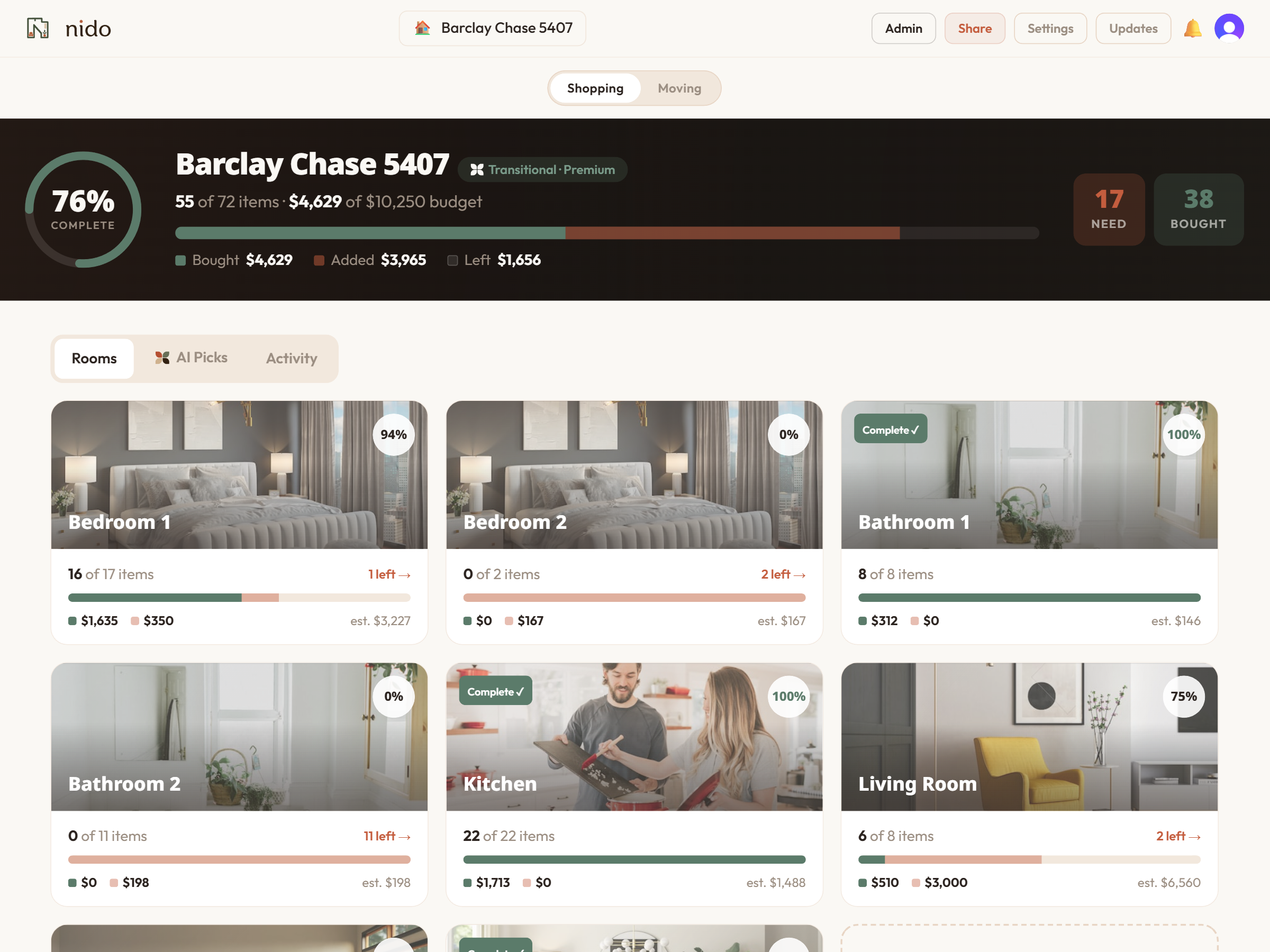
A gallery of your rooms
Each room is a photo card with a completion ring and a spend bar — see the whole home at a glance.
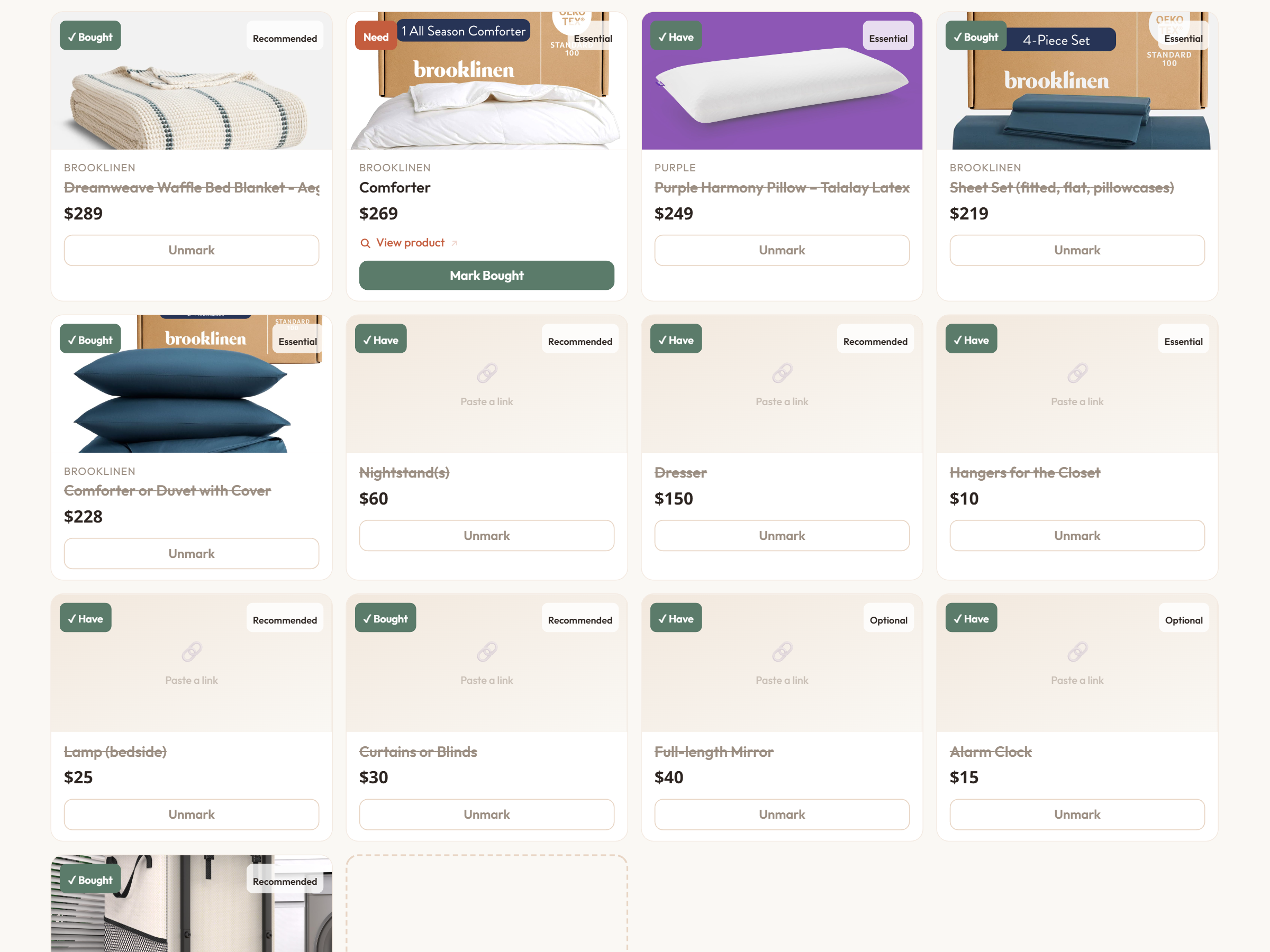
Product cards per item
Image, price, brand, retailer link, and a status you can toggle: Need → Have → Purchased. Plus tiers (Must / Should / Nice) and priority.
Start full or start fresh
Pre-fill a room with its curated essentials in one tap, or add items yourself as you go.
Live budget everywhere
A segmented bar shows Bought / Added / Left — per room and across the whole home.
Everything stays in sync
Scan something you own in Moving Mode and it checks off here automatically, freeing up that budget.
Nothing forgotten, nothing doubled
One place for the whole home, so nothing gets missed and nothing gets bought twice.

Walk each room with a plan in hand.
Open the app and see the whole home at a glance — what's bought, what's left, what it costs — instead of a dozen browser tabs and a notes file.
Three steps
From keys to fully stocked
Pick your rooms
During setup, choose the rooms your place has — bedrooms, kitchen, that home office.
Each fills with essentials
A curated starting checklist lands in every room, ready for you to shop and refine.
Shop, paste, mark bought
Add items, paste links, toggle statuses — and watch each room fill in, live.
In the app
The dashboard your move runs on
A room gallery up top, a room detail below — product cards, status toggles, and a budget bar that moves as you do.
Questions
Frequently asked
Put it into practice
Vintage Mid Century Credenza vs Reproduction: A Living Room Storage Buying Filter
A practical decision filter for the vintage mid century credenza vs reproduction question — what to check on doors, drawers, and wood before you buy, plus a worked example.
Vintage, Reproduction, or Budget-Inspired: A Mid-Century Modern Furniture Buying Filter for Your First Place
A room-by-room filter for the mid-century modern reproduction vs vintage furniture decision — what to check, when to splurge, and how to build a full first apartment on budget.
How to Tell If Mid-Century Modern Furniture Is Real: The Five-Test Checklist
A five-test checklist for how to tell if mid-century modern furniture is real, with a go/no-go scoring rule and a worked example you can copy at an estate sale or online listing.